 Lark & Lever

Lark Cookie Sweep
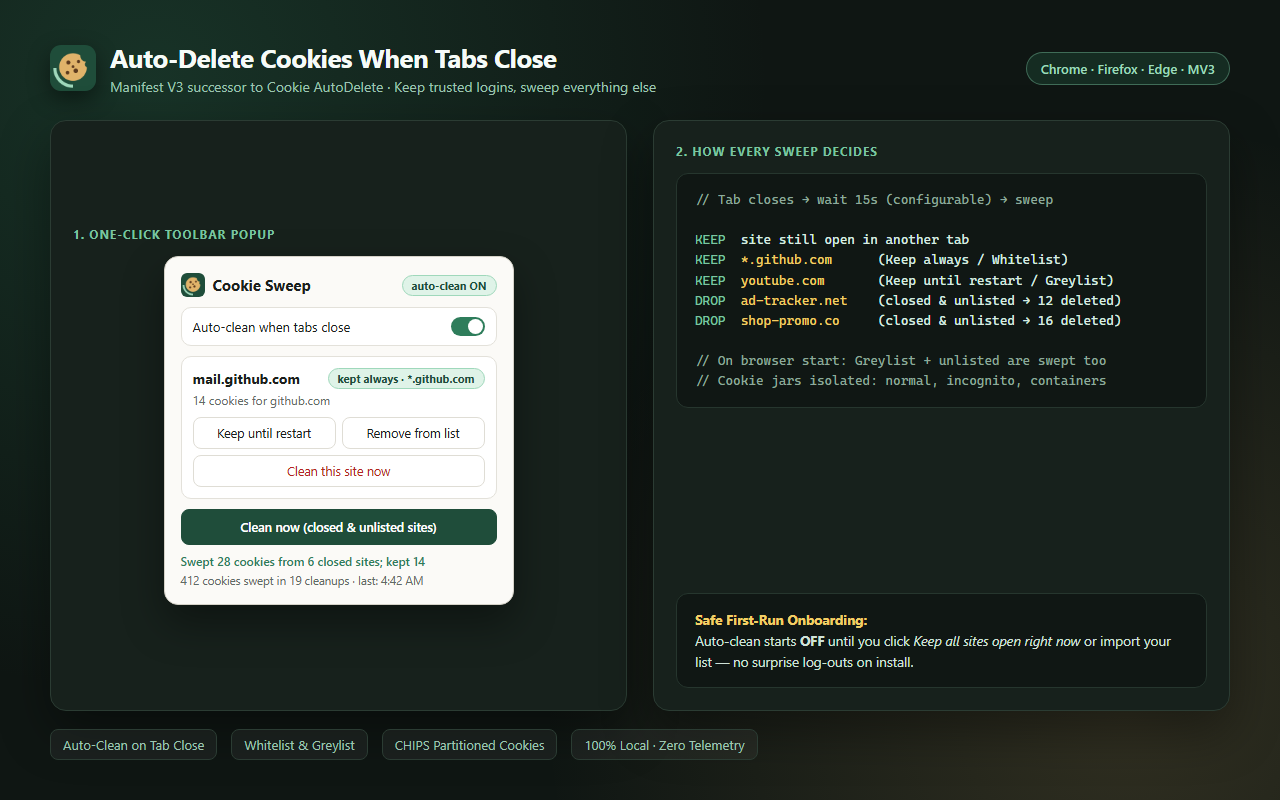
Auto-delete cookies when you close a tab. Manifest V3 successor to Cookie AutoDelete — import your CAD keep-list in one click.
Coming soon to Chrome Web Store, Firefox Add-ons & Microsoft Edge Add-ons
Want to use it today? Download v1.0.0 ZIP on GitHub (MIT open-source, Chrome & Firefox builds) while store listings finish review.
Screenshots
Why people switch to Cookie Sweep
Built for Manifest V3
Chrome removed legacy Manifest V2 cookie cleaners, and the original Firefox extension hasn't updated since 2022. Cookie Sweep runs natively on MV3 Service Workers and Firefox event pages.
Drop-in CAD import
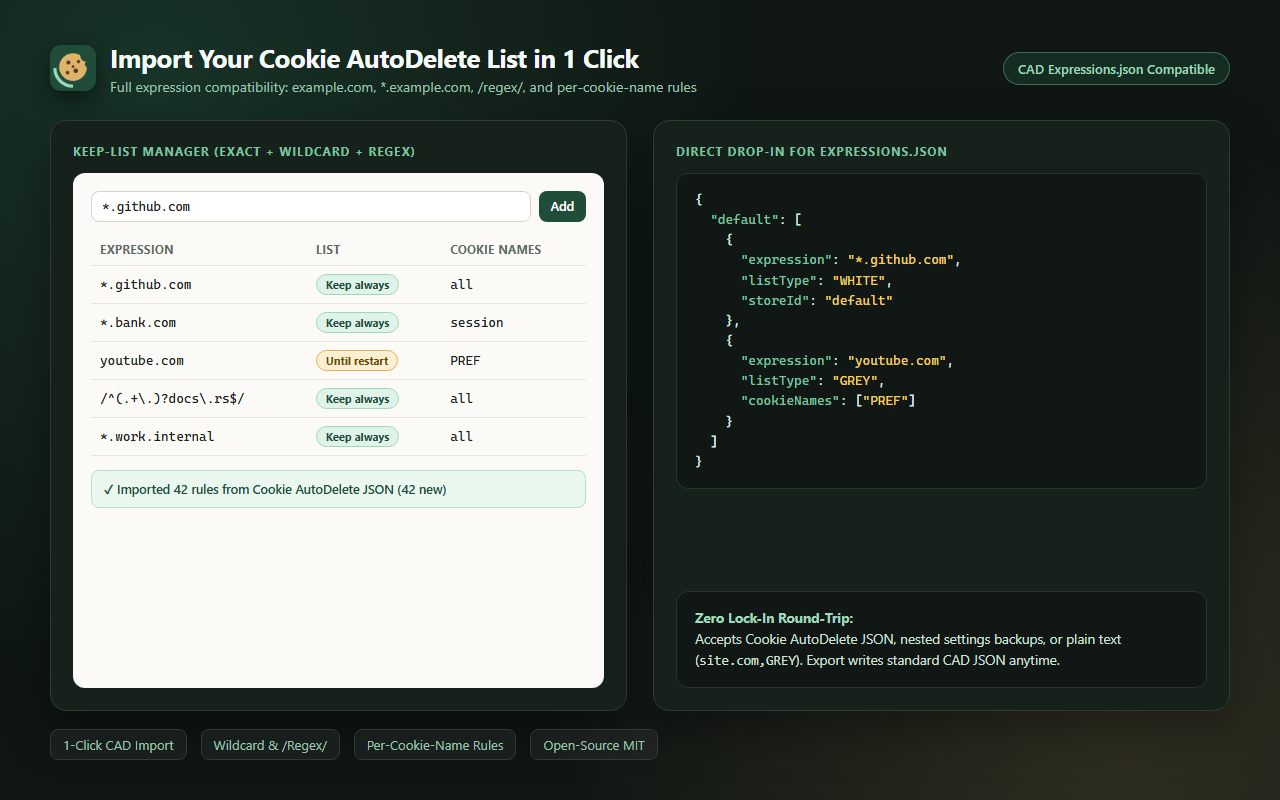
Keep your existing Expressions.json backup. Exact domains, *.example.com wildcards, /regex/, greylist entries, and per-cookie-name rules work out of the box.
Zero surprises
Auto-clean starts OFF until you keep your open tabs or import your list. Open sites are protected per cookie store (normal, incognito, Firefox containers), and CHIPS partitioned cookies are handled cleanly.
Free vs Pro
| Feature | Free | Pro ($5 once) |
|---|---|---|
| Auto-delete cookies when a site's last tab closes | ✓ | ✓ |
| Keep always (whitelist) & Keep until restart (greylist) | ✓ | ✓ |
Cookie AutoDelete syntax (*.domain, /regex/, cookie names) | ✓ | ✓ |
| One-click CAD JSON import & CAD-compatible export | ✓ | ✓ |
| Open-tab protection per jar + CHIPS partitioned cookies | ✓ | ✓ |
| Browser-start cleanup & toolbar cookie counter badge | ✓ | ✓ |
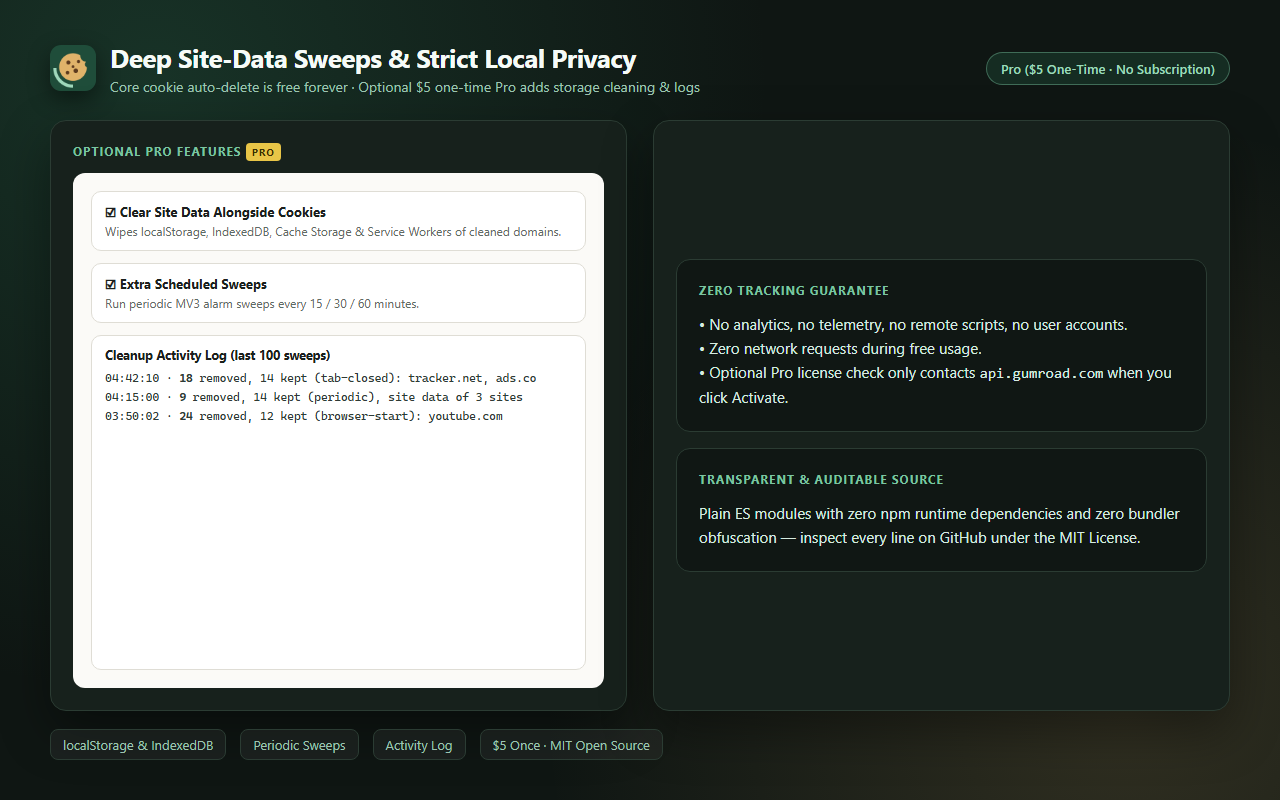
| Clean site data (localStorage, IndexedDB, Cache, Service Workers) | – | ✓ |
| Scheduled periodic sweeps & 100-sweep activity log | – | ✓ |
Pro license checkout opens soon.
Migrating from Cookie AutoDelete (30 seconds)
- In Cookie AutoDelete, open Settings → List of Expressions → Export Expressions to save
Expressions.json. - In Lark Cookie Sweep, open Keep-list & settings → Import file… and select that JSON file.
- Verify your trusted sites are listed, then toggle Auto-clean cookies when tabs close ON.
Privacy & Open Source
100% local. Plain ES modules with zero npm runtime dependencies, no bundler obfuscation, no analytics, and no remote code. The only network request is verifying an optional Pro license with Gumroad if you choose to activate one. Read the privacy policy or inspect the MIT source on GitHub.
FAQ
Will installing it log me out of my open sites right away?
No. Auto-clean starts OFF by default. The welcome screen lets you import a Cookie AutoDelete backup or click "Keep all sites open right now" before you turn auto-clean on.
What is the difference between "Keep always" and "Keep until restart"?
Keep always (whitelist) preserves cookies permanently across sessions. Keep until restart (greylist) keeps cookies while the browser is open — even after closing the tab — and sweeps them the next time your browser starts.
Does it work on Brave, Edge, Arc, Vivaldi, and Firefox?
Yes. The Chrome MV3 build runs on all Chromium browsers, and the Firefox MV3 build includes native cookie-store isolation for Firefox Multi-Account Containers.
Support
Open an issue on GitHub or email addbotaitoday@gmail.com.